← Home About Archive Photos Replies Also on Micro.blog
  • The benefits of suboptimality

    Yesterday I found myself searching for a new digital camera for an event I’ll be attending late this year. I was really hoping to find (both for thematic and nostalgia reasons) was a modern digital camera with analog-style physical interactions, like having to wind the film before you can take a picture.

    I’m absolutely romanticizing it. Still, I can’t help but see my high school shooting process as meditative. I don’t remember specific events, but I distinctly recall the sensation of being on a photo trip. If I close my eyes, I can still see the darkened corners of the vignetted image in the viewfinder. I feel the two halves of the split microprism in the viewfinder slide by each other as I twist the focusing ring until they line up without a seam. I sense the tiny vibrations that cascade through the body of the camera and into my hands as I crank the film advance lever. Each push, pull, and twist guiding this complex machine fluidly into the exact state I want. And, as I exhale and depress the shutter button, I anticipate the clatter of mirror and leaf shutter that are just a moment away.

    In the continual push towards digitization, I feel the loss of physical interactions that ground us in the moment. That make us sit with a passing thought for another breath. And, in doing so, that friction creates space for discernment and the opportunity to further reflect, filter, or refine.
    → 10:48 AM, Aug 14
  • Open in VSC with Shortcuts on macOS

    I’m not sure why, but for some reason this morning it occurred to me that I could probably use Shortcuts on macOS to improve my day-to-day workflow. Often when poking around in Finder I want to open a given directory in Visual Studio Code (VSC). My normal workflow is:

    1. Cmd+Tab over VSC
    2. Hit Cmd+Shift+N to create a new window
    3. Cmd+Tab back to the Finder window
    4. Drag the directory onto the new VSC window

    This works well enough, but one glaring problem with this workflow: I’m lazy.

    I’d love to be able to just right-click the directory in Finder and open it directly in VS Code. I’ve used Automator to set this up in the past, but it was more awkward than I’d like. Also, I lost that automation one or two laptop migrations ago, so I couldn’t even use it if I wanted to.

    Turns out this is pretty easy to do in Shortcuts … if you know what you’re doing. I don’t, so I fumbled around for a while. So, here’s the tutorial I wish I had 20 minutes ago.

    1. Open Shortcuts.

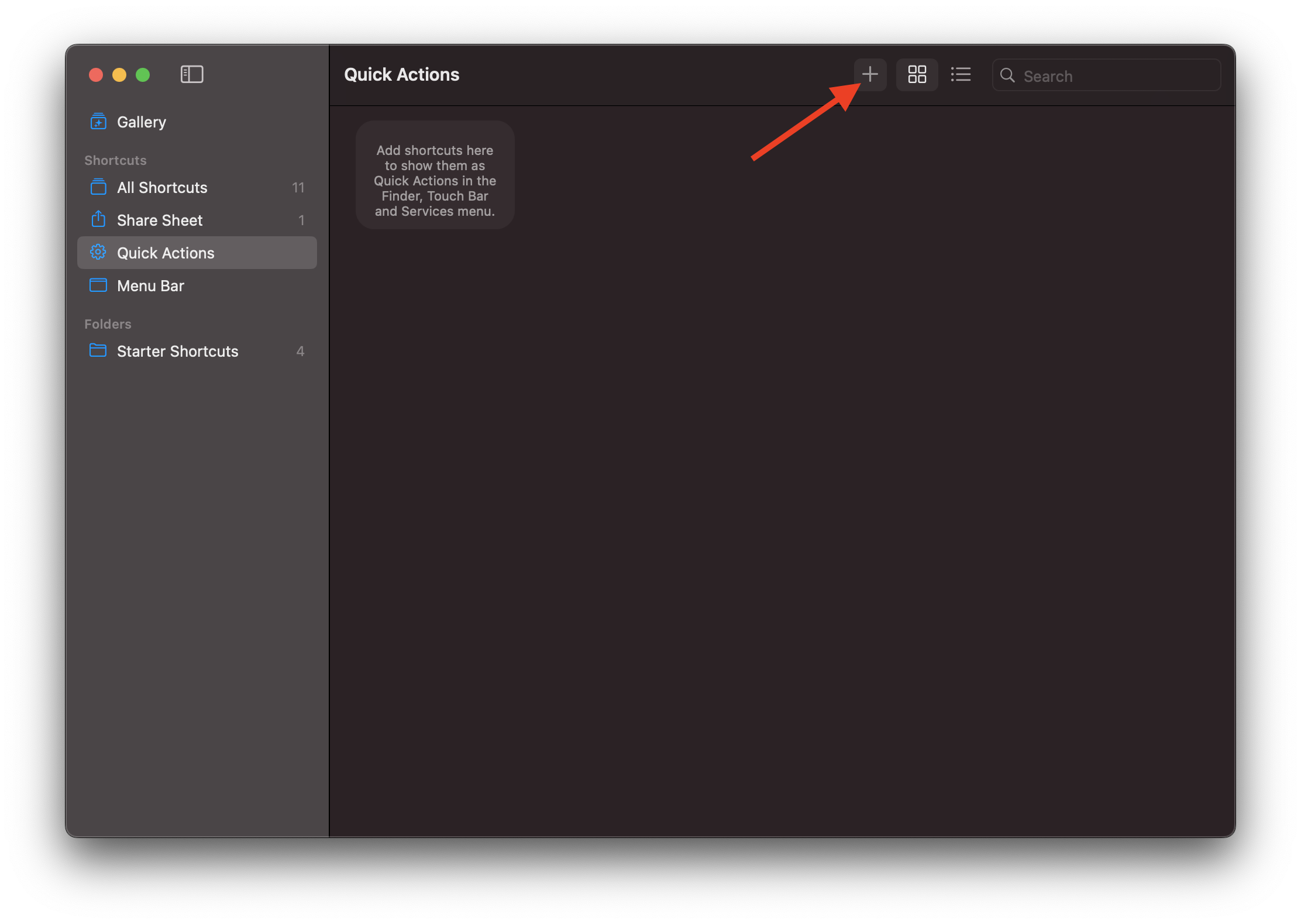
    2. Click the “Quick Actions” category in the left sidebar.

      Note: This isn’t strictly necessary, it just helps make setting up the shortcut input a little faster

    3. Click the + icon in the toolbar to create a new shortcut.

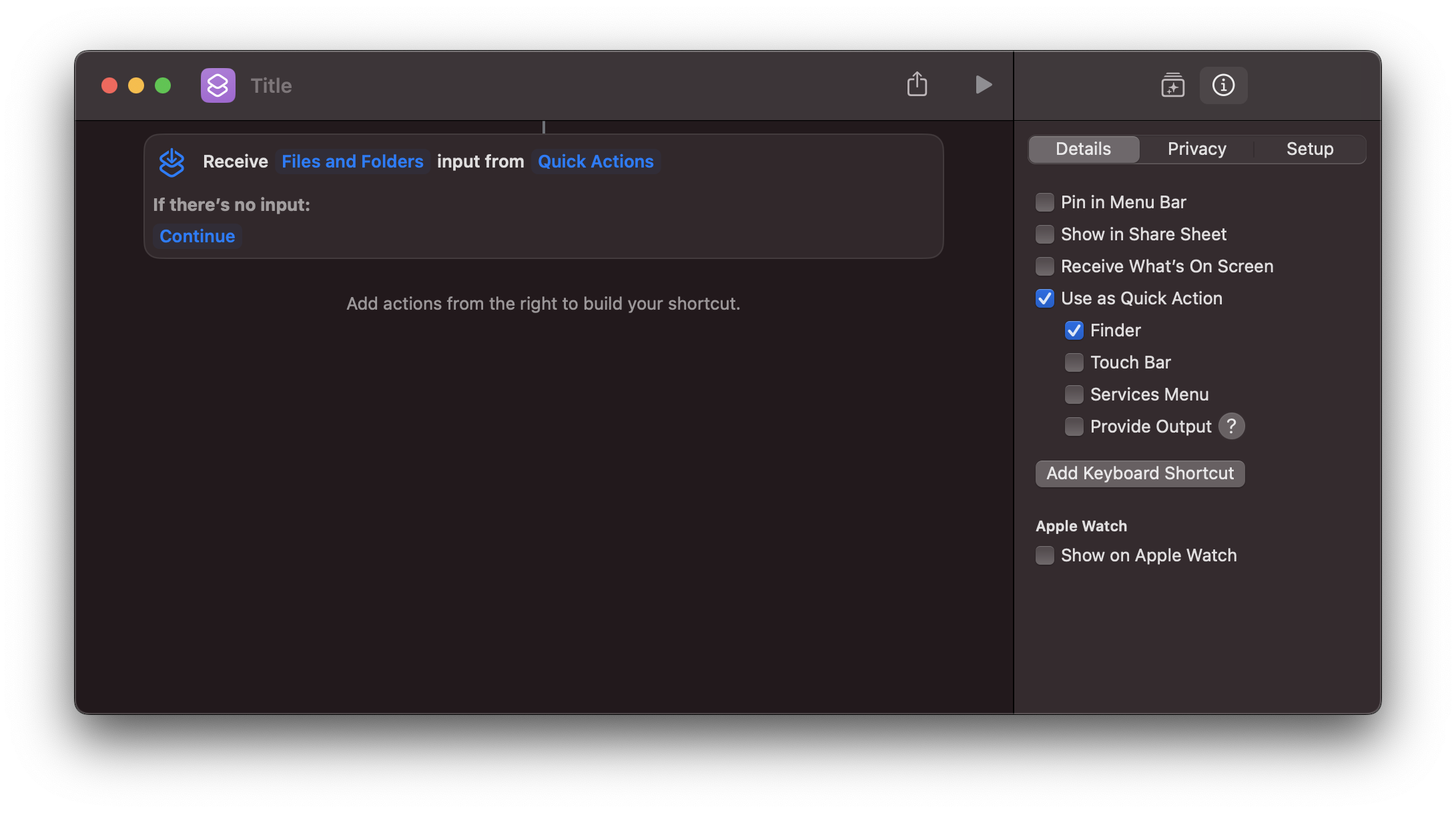
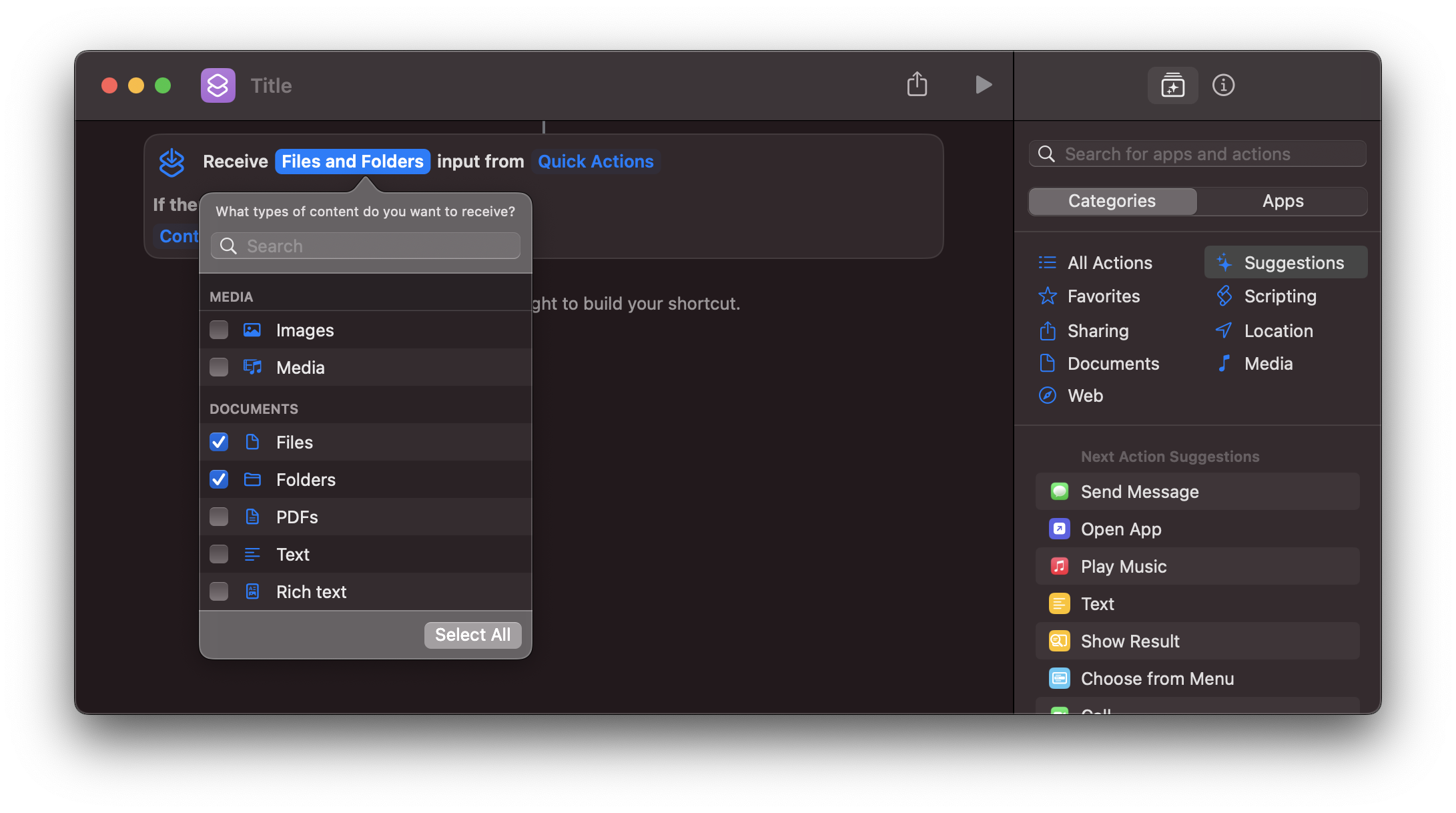
    4. Change the input type from “Images and 18 more” to “Files and Folders”.

    5. Click “Quick actions” to choose what kind of actions can invoke this shortcut. In this case, I only wanted to use the shortcut inside Finder.

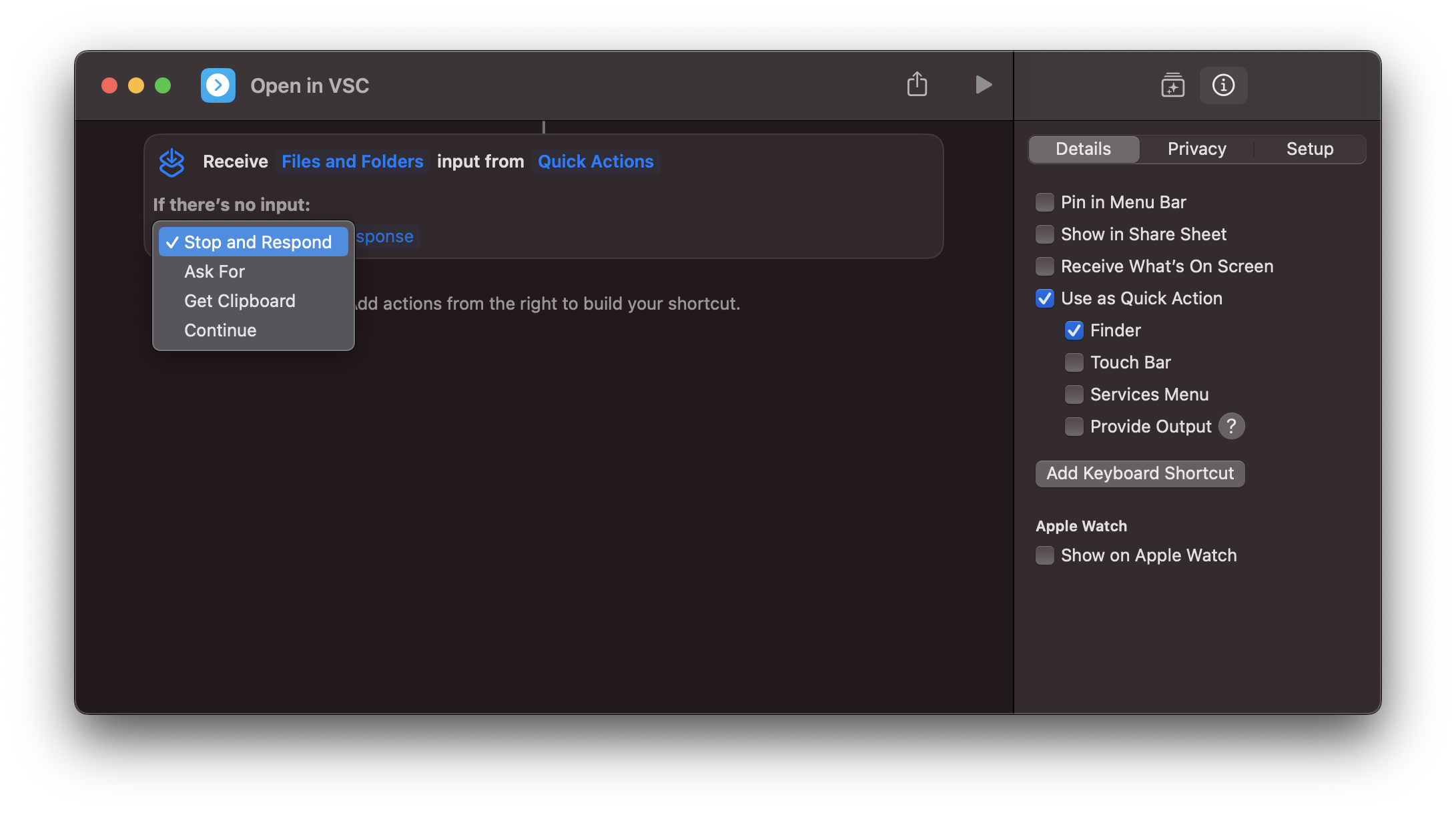
    6. Under “If there’s no input”, change this value to “Stop and respond”.

      Note: This will prevent the shortcut from doing anything if it was invoked without the right kind of input.

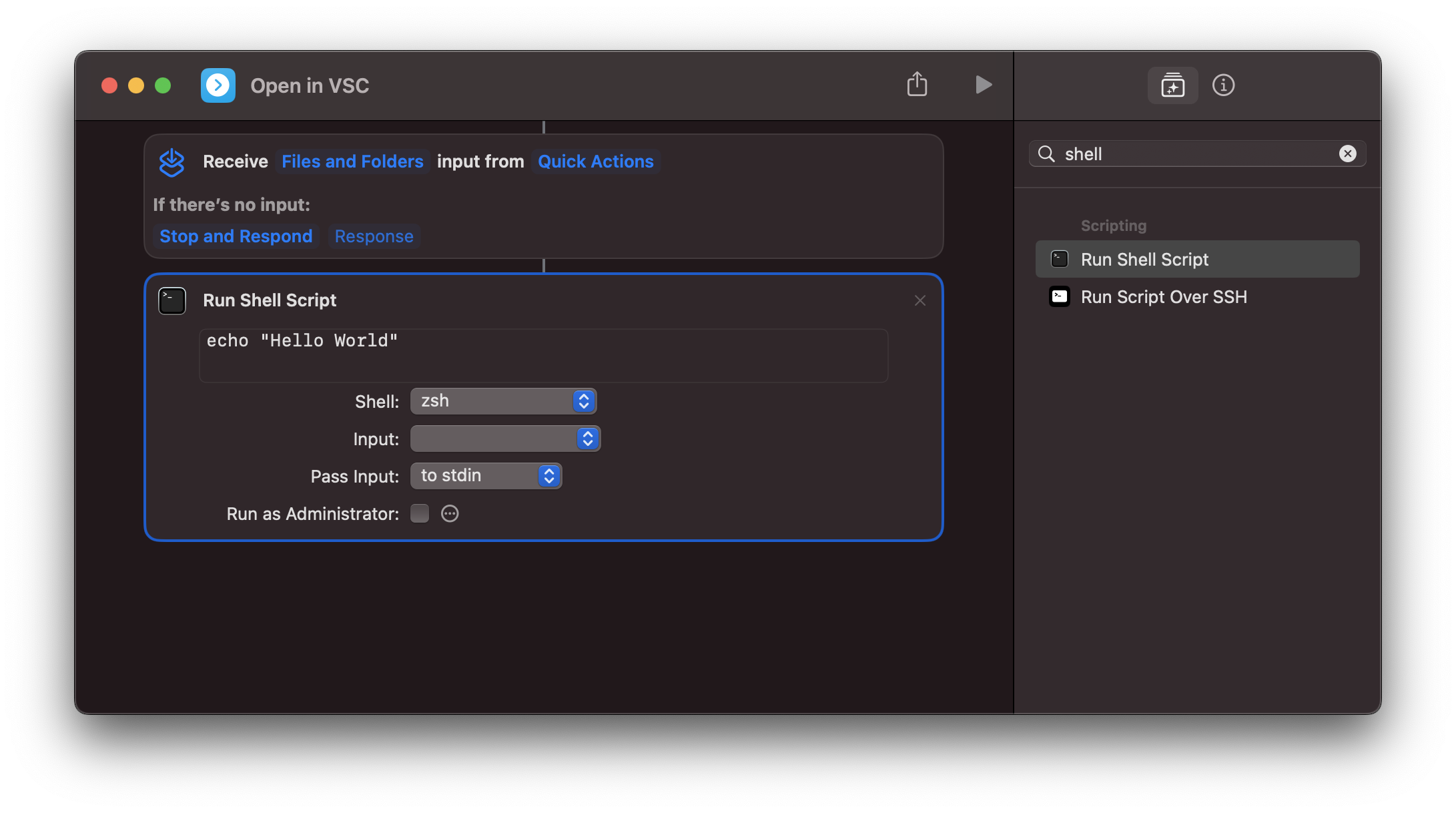
    7. Next, switch the right view back to the Action Library, search for “Run Shell Script”, and either double-click it or drag it below the input box we just configured.

    8. Change the “Input” dropdown to “Shortcut Input” and the “Pass Input” dropdown to “as arguments”.

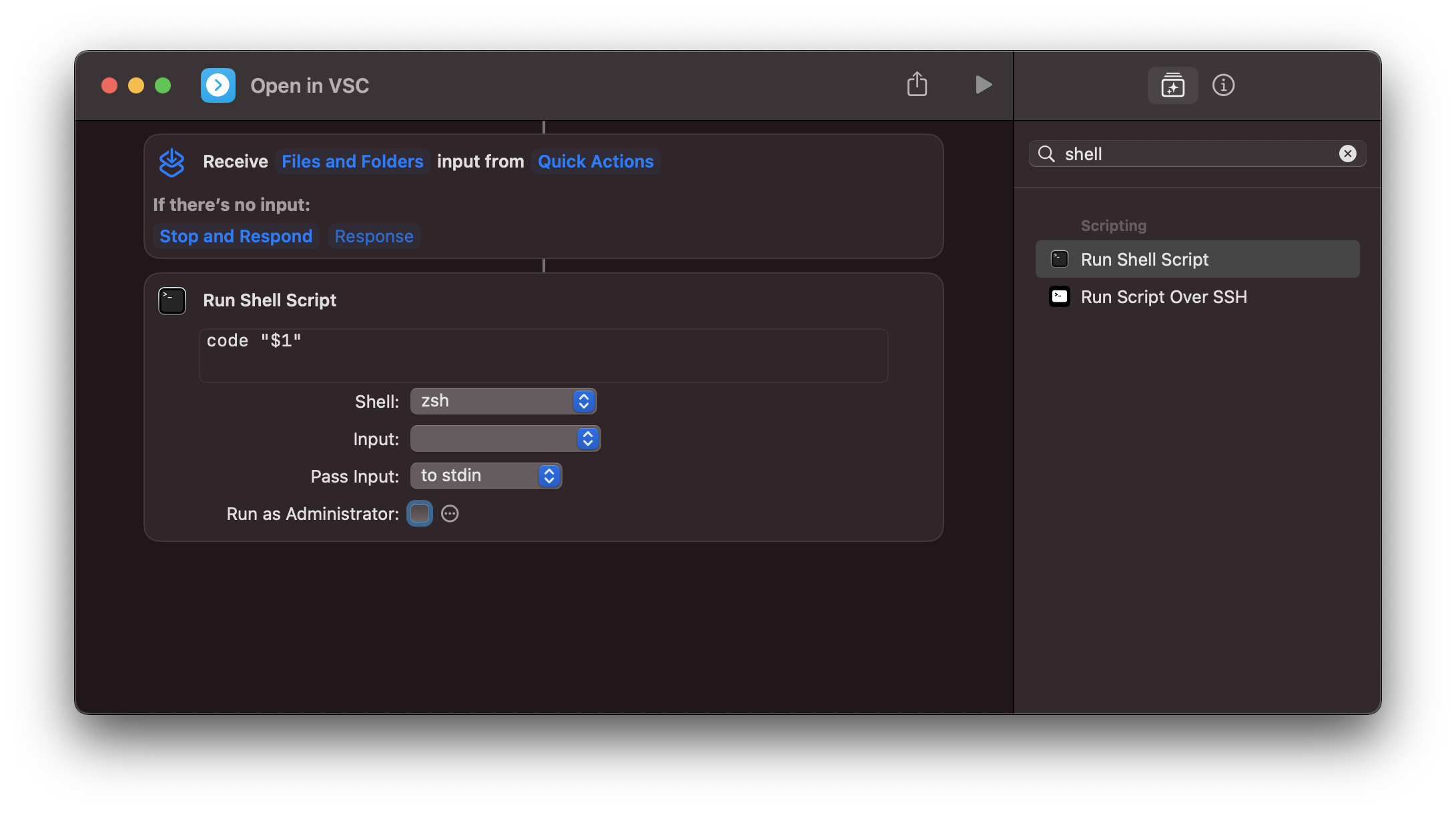
    9. Change the shell script from echo "Hello World" to code "$1".

      Note: $1 refers to the first argument passed to the shell script. We surround it with quotes in order to make sure paths that contain spaces work as expected.

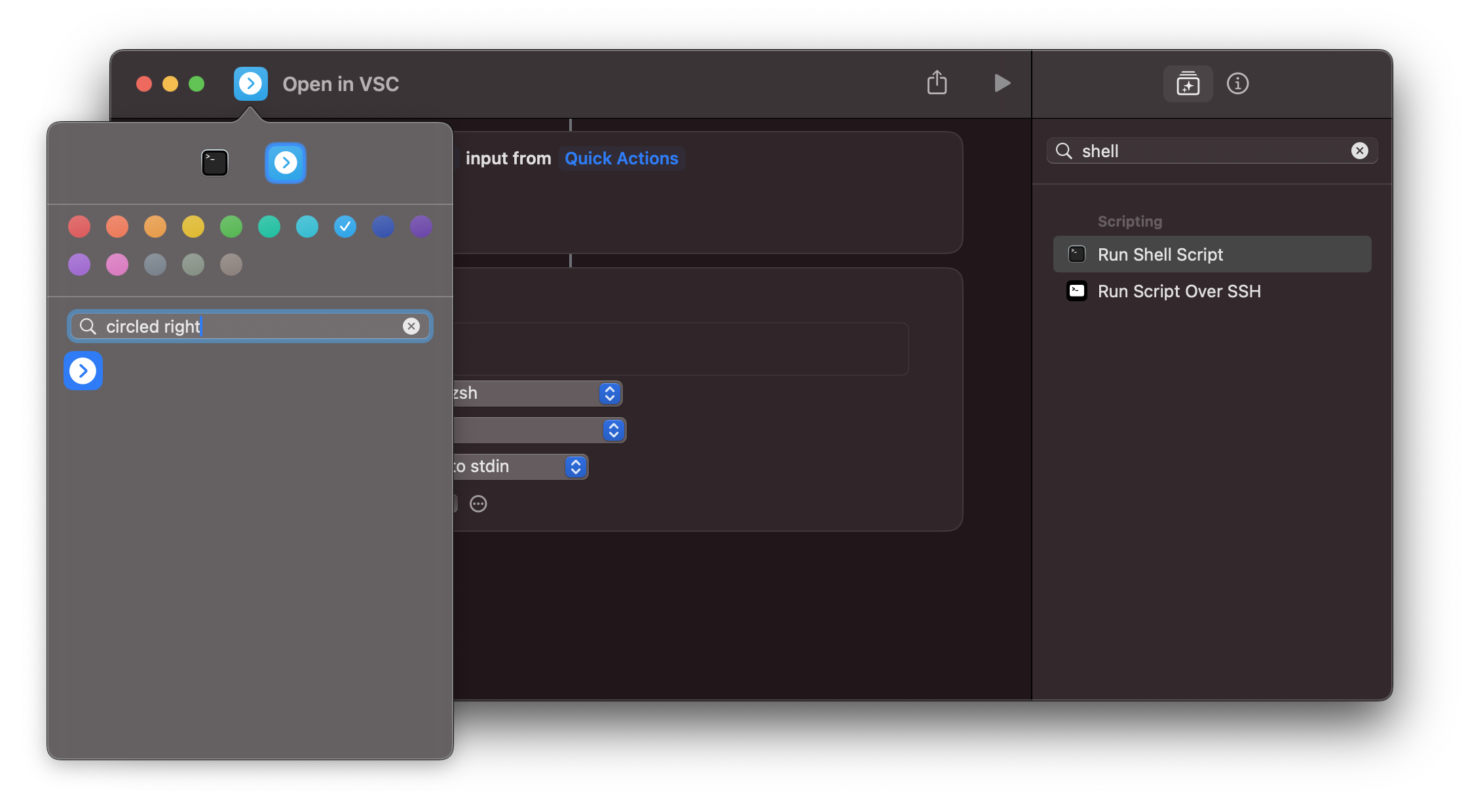
    10. Let’s warp this up by giving the shortcut an icon and name. Change the name by clicking on “Run shell script” in the title and typing the new title. Change the icon by clicking the icon in the title bar and selecting the icon and color you want to use. I went with “circled right arrow” in Blue.

    And with that, you should now be able to right-click on a folder in Finder, open Quick Actions, and select “Open in VSC”. Happy shortcutting ;)

    → 4:06 PM, Apr 10
  • RSS
  • JSON Feed
  • Micro.blog